
Step 1: Download the Gemgala App
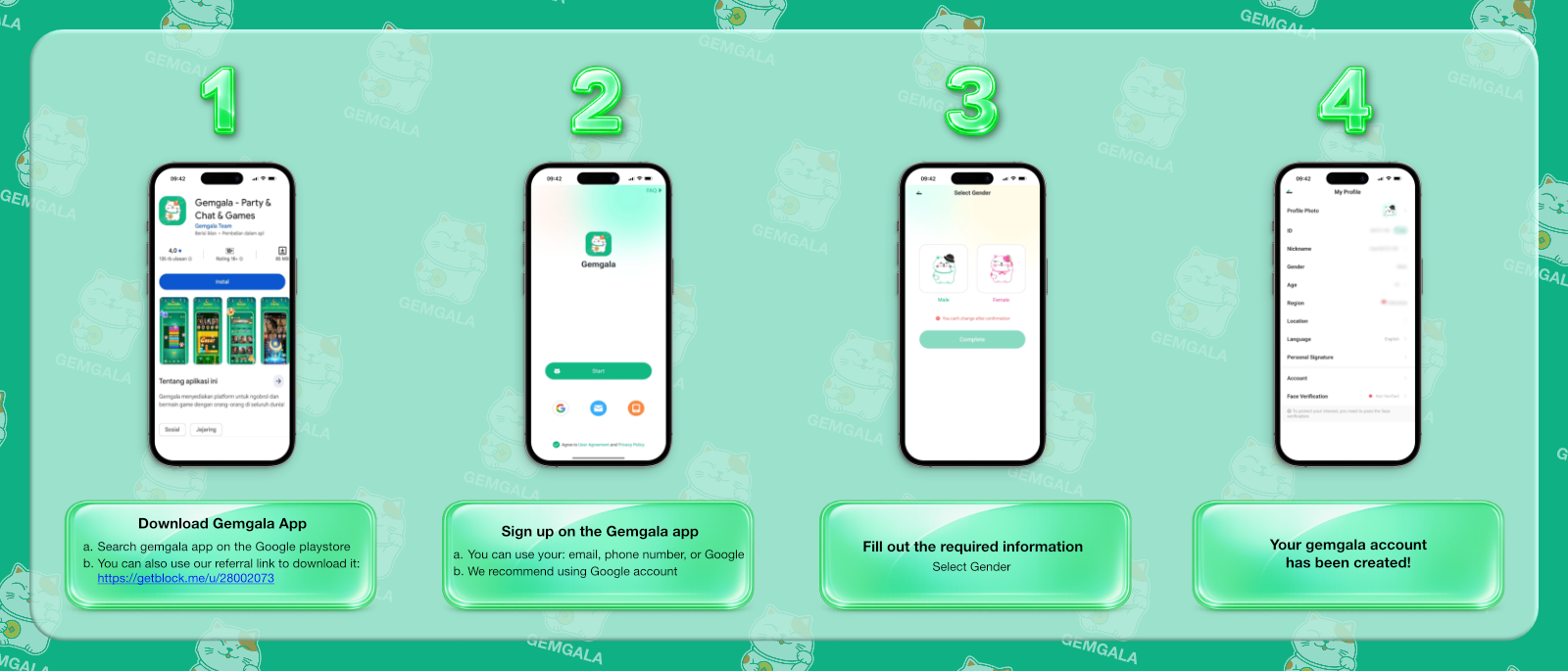
First, search Gemgala on the Google Play Store. Alternatively, we recommend you to use our agency referral link.
Follow the registration process and start your journey as a Gemgala Agency partner.
 SCROLL
First, search Gemgala on the Google Play Store. Alternatively, we recommend you to use our agency referral link.
Then, register via email, phone number, or Google account.
Next, choose your gender. Important note, you can not change your gender later.
Once you enter the app, click: open your profile → “My Profile” → “Profile Photo”.
Gemgala Agency commission is based on team achievement and activity. This means a larger and more active network creates greater earning opportunities. Your earning is based on the following.
Follow the official registration process and complete the required information on this page registration page.
The commission is calculated based on your team earnings times your commission ration. For more information visit this page earning & withdrawal page.
Yes. Team activity always contributes to agency commission calculation. This means your earnings are flexible.